
Gigabyte K8NNXP-940: Built on Athlon64 FX51 Strengths
- Posted in
- Motherboards
Gigabyte K8NNXP-940: Board Layout
The Gigabyte has one of the best board layouts that you will find with few tradeoffs that can make installation more difficult, and one glaring fault in the layout, which may be unavoidable. The full ATX-size motherboard allows placement of connectors and ports in their best location.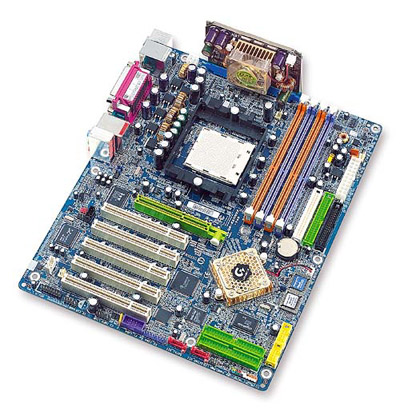
The clear blue board with rounded corners is instantly recognizable as trademark Gigabyte. As you can see, the single-chip nForce3-150 gives designers a little more room for a better board design.
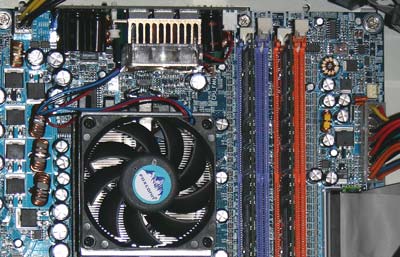
Unlike Athlon XP motherboards, we see a standardized ATX plus 12V connector arrangement on the Athlon64 and FX51 boards we have seen. This is identical to the power connector requirements of current Pentium 4 systems. We generally prefer the connectors together on the upper right of the board, but Gigabyte's placement of the 20-pin ATX to the upper right and the 12V at the top left of the processor socket is acceptable and should allow for decent cable placement.
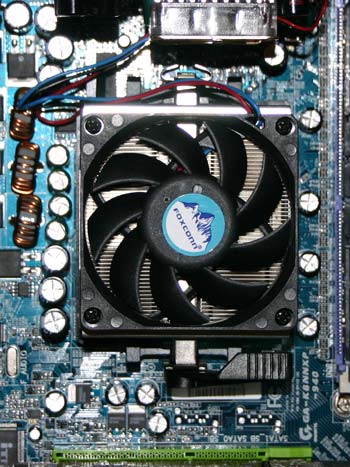
There is plenty of room around the north-to-south sides of the CPU socket, even with the new and much larger Athlon64/64FX heatsink “cage”. Gigabyte has placed the CPU socket away from the top edge to make room for the DPS-K8 power module.
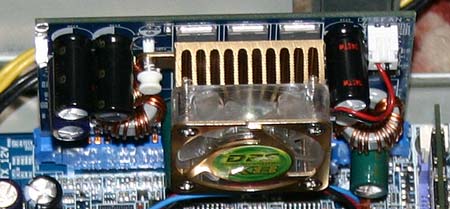
The location of the DPS board on the top edge of the motherboard can be a potential problem in some case designs. It works well in full-tower cases, but many case designs have a downward facing fan to cool the CPU and will be blocked by the DPS-K8 module. With the careful attention to placement of components on the K8NNXP-940, we assume that Gigabyte must have a good reason for choosing this location. You could probably also argue that this location assures the power board stays cool.
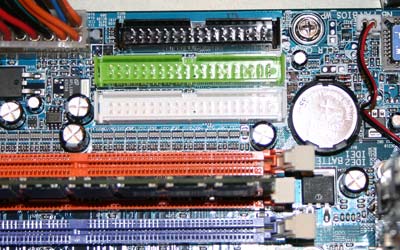
The Floppy connector and Primary/Secondary IDE connectors are all in ideal positions. They are in our preferred position above the midline of the board and to the right of the memory slots. This position on the top right edge of the board works well with cable arrangements in almost any case.
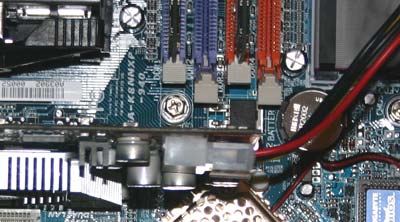
The memory slots are arranged so they do not interfere with the AGP card in any way. Changing or adding memory is easy with this arrangement. Gigabyte also uses their EZ-fix AGP lock, which is one of the better designs for securing the AGP card.
Originally published at https://www.anandtech.com/show/1177 (Wayback Machine).