
The MSI X299 Gaming Pro Carbon AC Motherboard Review
MSI X299 Gaming Pro Carbon AC Conclusion
I need to let you in on a little secret. ‘Gaming Pro Carbon’ is a bit of a mouthful of a name to say every single time. The worst part is continually forgetting the word order: is it ‘Pro Gaming Carbon’? ‘Pro Carbon Gaming’? The trend for motherboard manufacturers to stick as many SEO buzz-words into the name of a product is slowly grating on the psyche of motherboard reviewers. The argument is that customers are either looking for ‘Gaming’ or they’re looking for ‘Pro/Professional’, so by having it in the name of the product, their product is likely to come out first. Unfortunately, adding in a bit of Game Theory here (or the Incredibles): ‘if everyone is special, no-one is’.
Naming aside, the MSI X299 Gaming Pro Carbon AC is designed to sit on the top of MSI’s mainline motherboard stack, alongside the X299 XPower Gaming Titanium which is more geared towards gaming and overclocking rather than gaming and professional use. This means that we get multiple PCIe storage options through dual M.2 slots (with added thermal dissipation guards) and a U.2 slot, as well as a combination of Intel Ethernet and Intel WiFi. Audio is via the Realtek ALC1220, using MSI’s Audio Boost 4 methodology (filter caps, PCB separation) for better quality, and USB 3.1 ports are provided by dual ASMedia ASM3142 controllers. As stated in the review: with X299 enabling a number of these features, MSI hasn’t done anything special here or out of the ordinary in terms of base functional support. These are features (with exception to the U.2 or dual USB 3.1 controllers perhaps) that most if not all X299 motherboards should have, including products lower down the stack such as MSI’s X299 SLI PLUS. If that’s the case, what is MSI offering that is different?
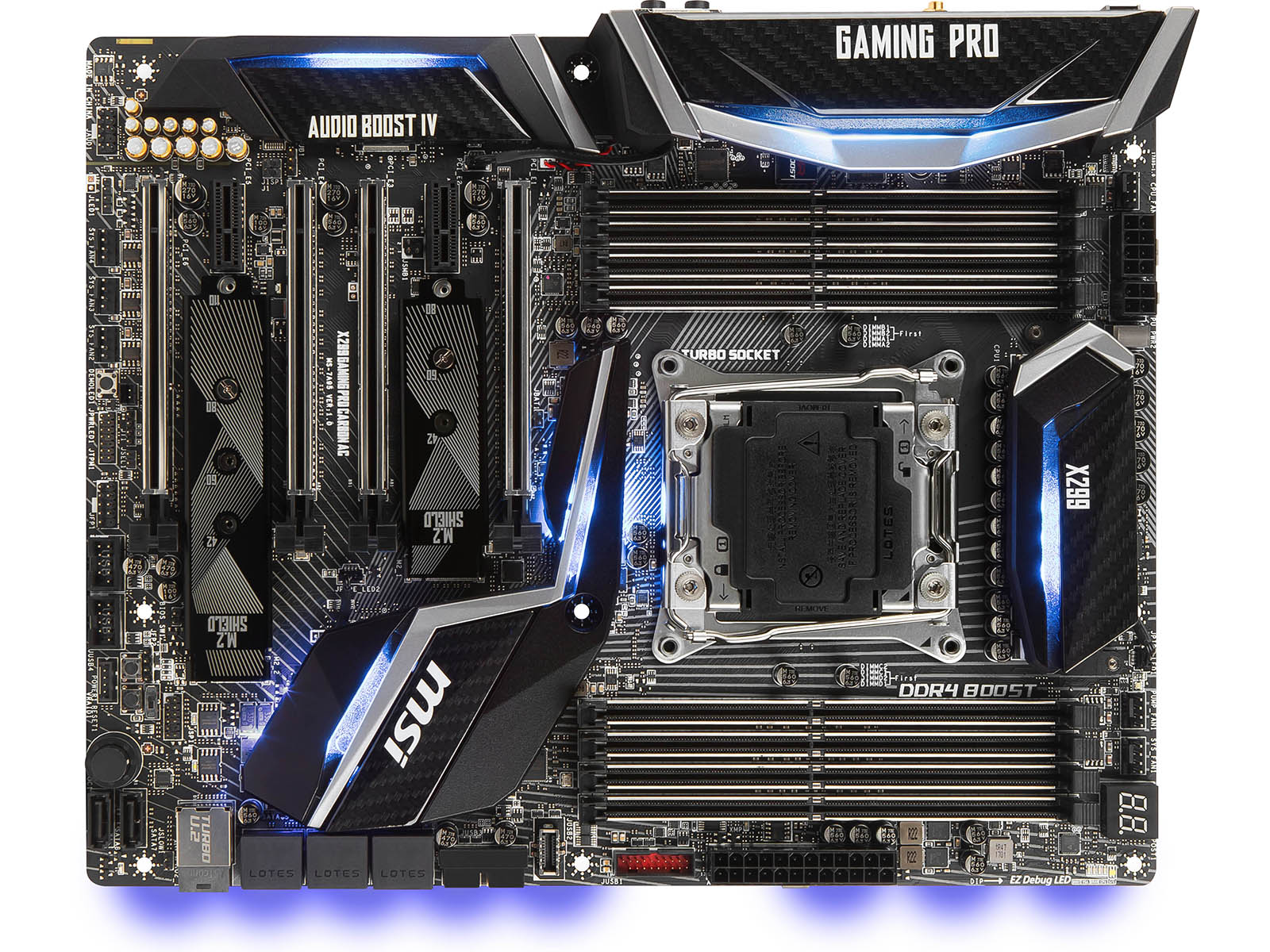
With the ‘Carbon’ in the name, aesthetics are MSI’s key play here. The board is designed to be color neutral, and MSI offers removable vanity plates for all the heatsinks which can be replaced by the users’ own. MSI provides a set of gold/silver versions in the box, but the idea is that a user can 3D print a custom design and place it in their system to show it off. This is combined with a copious amount of LEDs on board, as well as LED splitter cables for the onboard headers in order to add more LED strips inside the case. Remind me: do the LED lighting features come under the ‘Pro’ part of the name, or the ‘Gaming’ part of the name? MSI does like to promote its LED technology at this point, citing collaborations with other hardware partners for LED synchronization.

On performance, due to our limited X299 testing, we cannot say immediately how this board compares to others. We can say however that the base BIOS out of the box (or updated online) will default to higher turbo modes than Intel’s CPU specifications. This gives a CPU a base boost in performance out of the box, in exchange for a higher power consumption. There are several arguments to this, both for and against:
- Technically this is overclocking, a user could lose their CPU warranty
- Most users are going to overclock Skylake-X CPUs anyway, so this is a non-issue
- Very few users overclock, so this gives extra performance out of the box
Points 2 and 3 are in direct contradiction to each other (most users overclock vs. few users overclock), but we have heard both of these arguments from users and forums when speaking about these sorts of features. The overclockers (including those that work for retailers) tend to think that ‘why buy an X CPU if you are not going to overclock’, while the professional industry that want all the cores don’t even touch the BIOS. At the end of the day, we usually analyse a motherboard at stock frequencies, and in this case, the MSI pumps it up for performance. On actually overclocking on the motherboard, we hit thermal limitations before motherboard limitations, which is more a factor of our CPU than anything else.
Overall, the MSI X299 Gaming Pro Carbon AC / Pro Carbon Gaming AC / Pro Gaming Carbon AC sets a benchmark for us to compare with other X299 reviews. It doesn’t really go out of its way to provide a feature set above and beyond what we would normally expect, and focuses more on aesthetics in response. The small CPU performance boost with the default BIOS might be useful for some readers, although it will be interesting to see if other motherboard manufacturers are willing to go down the same route.
Originally published at https://www.anandtech.com/show/11553/msi-x299-gaming-pro-carbon-ac-motherboard-review (Wayback Machine).