
Asus PC-DL Deluxe: 875 with Dual Xeons
- Posted in
- Motherboards
Asus PC-DL: Board Layout
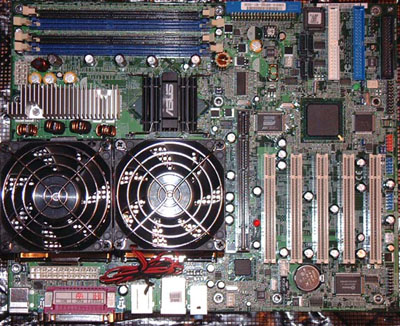
The PC-DL is a full-size ATX board, which will fit in a standard ATX case. Many multiple CPU designs require expensive specialized cases, but the Asus will fit any standard ATX case. As we have already discussed, you will need an ATX size Xeon Power Supply with 24-pin and 8-pin connectors form Vantec, Antec, Enermax and others.
It is more than a little unfair to discuss layout concerns about a Dual-Processor board as if it is a standard ATX board. Usually this type of board is purchased and a case is chosen to meet the board needs. With that in mind, board layout matters more in telling you what you need in a case.
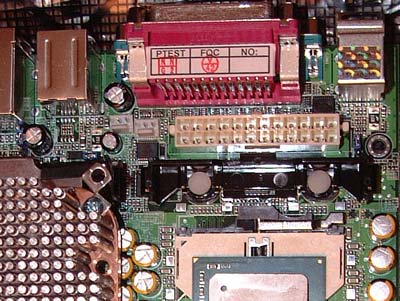
The 24-pin power connector is in a very tight location, squeezed between the Dual Xeon sockets and the back IO connectors. There is so little clearance that you actually have to use a screwdriver to release the catch for the connector when it is removed. Fortunately, it is located near the top of the board, so it is easy to clear the CPU sockets with this cable. However, make sure your case and power supply will allow you to snake the bulky 24-pin between the CPU’s and back IO without obstructing air flow to the power supply. This is much easier in some case designs than others.
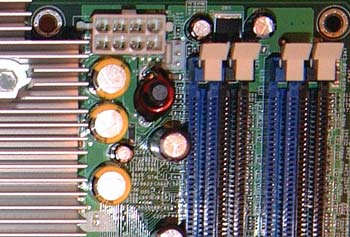
The 8-pin 12V connector is located at the top edge of the motherboard between the memory slots and the CPUs. It’s about as ideal a location as you will find, and should be easy for almost any case design.
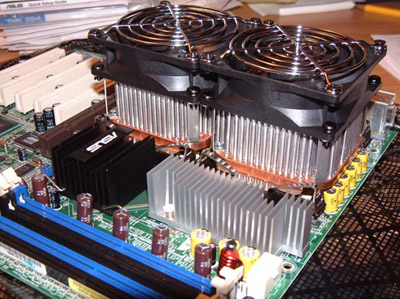
When you first look at the dual CPU-area it appears cramped, but it really isn’t. A lot of thought went into this area, as you can see by our ability to mount Dual Swiftech MCX603 heatsink with Panaflo 80mm fans for cooling. You should be able to mount just about any Xeon cooling solution available on the PC-DL.
There are a huge number of capacitors around both Xeon sockets, but Asus was very careful to control height of the capacitors so heatsinks could overhang the capacitors without interfering with their operation.
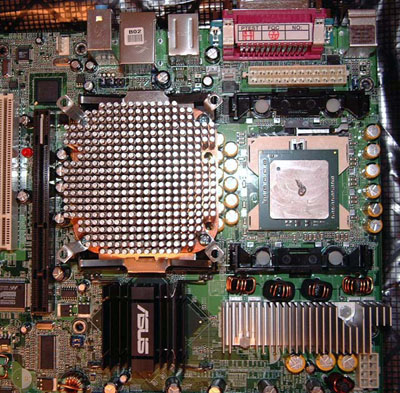
Since many (who will consider this board) are not really familiar with Xeons, you should be aware that standard P4 heatsinks and fans do not work on a Xeon. The mounting clips themselves are different. We learned the hard way that Xeon mounting brackets, clips, and heatsinks are very difficult to find in the open market. We received the Asus PC-DL and 2 bare Xeon 3.06 processors. After a lot of searching for Xeon heatsinks with no luck at all, we were finally able to locate them at Frozen CPU, a national cooling and case modding web specialty store. Our sincere thanks go out to Mark Friga and his crew for getting us set-up with Swiftech Xeon heatsinks and Panaflo fans so we could complete our review.
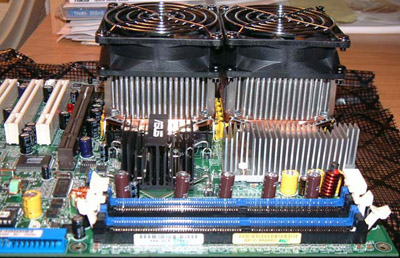
Most of you will buy Retail Xeons, which include the fan and necessary hardware, but with boards like Asus PC-DL coming to the market, targeting the gaming and PC Enthusiast market, you will likely see a growing aftermarket for Xeon cooling solutions like the Swiftechs we found at Frozen CPU. Overclocking Xeons was not something an IT professional using a Xeon would even think about, but gamers and computer enthusiasts will take a different approach to what to do with their Dual-Xeon 875 boards.
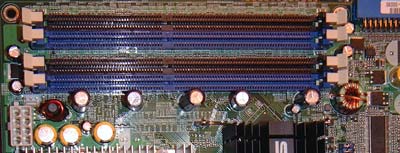
Like the P4 Canterwood boards, the PC-DL supports up to 4GB of Dual-Channel Unbuffered or ECC memory. The board does not support registered ECC memory. This would be a very large limitation for a board aimed at the server market, and is another indication that the PC-DL is geared toward the workstation and Enthusiast markets.
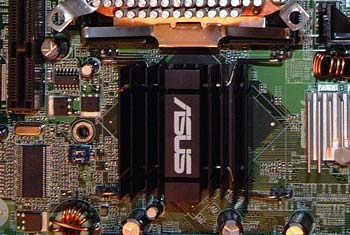
The 875p North Bridge is cooled by the same massive heatsink used on the P4C800-E, which we recently reviewed. Asus also turns the heatsink 90 degrees on the PC-DL. The heatsink remained very cool during operation of the PC-DL.
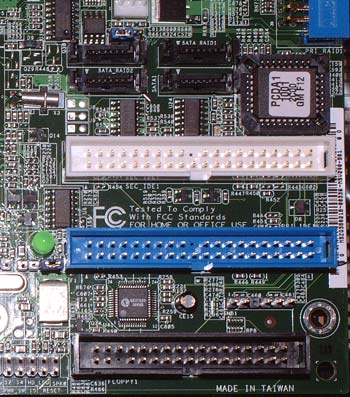
With all of the space required for dual processors and the more robust power connectors required for their operation, there are compromises that must be made, particularly on an ATX-size board. Since a full-tower case will very likely be used with a Dual-Xeon board, the location of the IDE and floppy connectors is extremely poor. All of the connectors are located at the very bottom right of the board, which means you will need some very long cables to reach your upper-bay Optical drives. You will need to pay careful attention to case design and cables to make sure everything will work properly with this layout.
The location of the floppy connection at the very bottom right of the PC-DL is particularly bad. Boards with RAID capabilities like the PC-DL require a floppy for drivers during the Operating System install. If your tower case has the floppy at the top, you will need an extra-long specialty floppy cable to reach. With a floppy location at the bottom of the “external” stack, you will have no problem with this location.
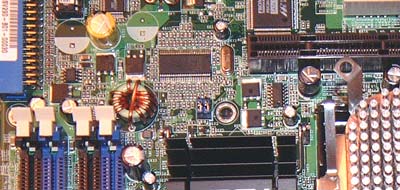
With all that is crammed onto this standard ATX board, we were pleased to find the location of the AGP slot (in relation to the Dimm slots) still allows easy removal and replacement of memory modules. The video cards that would likely be used on the PC-DL would be top-line with additional power needed, or double-slot workstation graphic cards. This would make removing the video card to switch or upgrade memory a terrible nuisance. Fortunately, you won’t have that problem with the PC-DL.
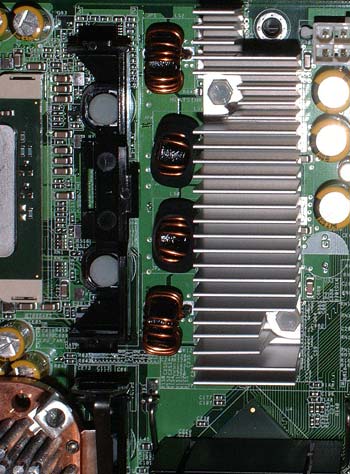
The PC-DL is a 4-phase power design, and Asus also added a massive heatsink to cool the power transistors that deliver power to the board. These are both welcome precautions to ensure accurate and reliable power regulation on the PC-DL.
Originally published at https://www.anandtech.com/show/1139 (Wayback Machine).