
MSI KT6 Delta-FIS2R (KT600): Feature Packed Fun
- Posted in
- Motherboards
MSI KT6 Delta-FIS2R: Board Layout
The MSI KT6 Delta-FIS2R’s layout was thought out very well, which hasn’t always been the case with MSI motherboards.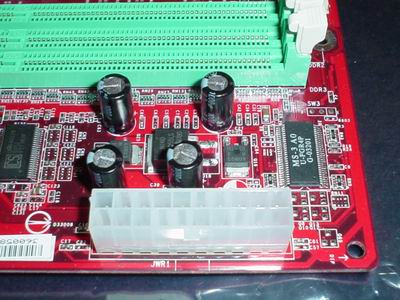
One component that we always like to see implemented correctly is the ATX (20-pin) connector. The KT6 Delta-FIS2R's ATX connector is located at the top right-hand side of the PCB, at the very edge of the board. Since standard PSUs don’t usually have an extra long ATX cable, this location is most ideal because it will reduce clutter and greatly minimize intrusive ATX wires from obstructing the installation/uninstallation of the CPU HSF, memory modules, and any other components in that area that you may decide to modify or uninstall. If you're using a high-quality PSU with an extra-long ATX connector, you have nothing to worry about; but the location of the ATX connector is still best for those users who can’t afford or don’t want to purchase the best PSUs on the market.
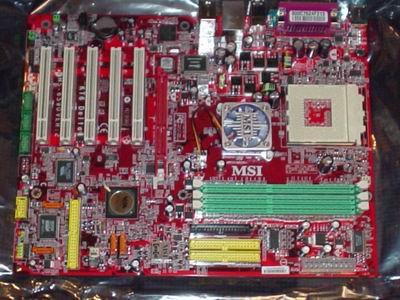
It was wise for MSI to choose the Primary and Secondary IDE connectors to be positioned above the midsection of the motherboard and to the right of the DIMM slots. This enables the bundled IDE cables to reach the upper bays of an ATX case. Effectively, it means that you will be able to install optical drives in the first and second bays, as well as make use of the Slave connector on the bundled IDE cables. Additionally, better air flow and case organization result from this ideal location. All in all, there is no other place for these IDE connectors.
The placement of the KT6 Delta-FIS2R's Floppy connector isn't the most optimal, however. If you intend to have a Floppy drive installed in your system, the floppy cable will create some case clutter and disorganization. The only saving grace is that the connector is located just to the left of the Primary/Secondary IDE connectors. Nonetheless, in our opinion, it would have been ideal to have placed the Floppy connector at the bottom of the board to the right of the IEEE 1394 FireWire ports.
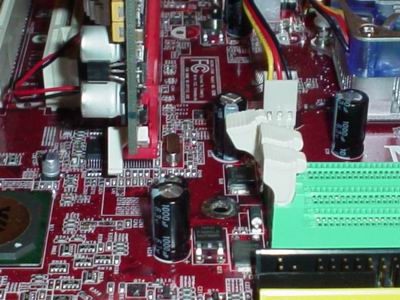
The KT6 Delta-FIS2R's DIMM connectors are placed in a good location, at a sufficient distance away from the AGP slot. This makes it possible for users to install or uninstall memory modules easily without having to uninstall their video card, which is a time-consuming process that includes steps like unscrewing your video card, unplugging your VGA cable, and physically uninstalling your video card from its AGP slot. Motherboard makers are slowly, but surely, taking notice. Fortunately, MSI and other top tier motherboard makers, like Gigabyte, are starting to position the DIMM connectors in the same location in more and more of their P4 and Athlon motherboards.
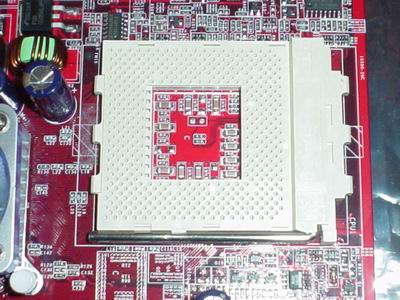
Conversely, one thing motherboard makers are not introducing quickly enough are the four mounting holes required for more powerful CPU HSFs. This is definitely a drag for cooling enthusiasts, as well as serious overclockers. Nonetheless, there are good copper HSFs out there that can be bought very cheaply (between $10 and $15) that don't require mounting holes; and therefore, they are compatible with nearly all Socket A motherboards.
Originally published at https://www.anandtech.com/show/1125 (Wayback Machine).