
The GIGABYTE Z170X-Ultra Gaming & Z170X-Designare Motherboard Review
Conclusion
Both of the GA-Z170X-Ultra Gaming and the GA-Z170X-Designare have been designed to introduce U.2 drive support and allow for the installation of up to three U.2 drives (using adapters). Both of the boards are strongly based on storage solutions that are either dead (SATA Express) or currently evolving in the market (U.2). The SATA Express protocol never gained any traction and there currently are not any consumer products available at all, whereas the currently available U.2 drives are less than a dozen enterprise-level products with ludicrous price tags. That being said, some of them are nice and fast, if your wallet is deep enough. Both boards also offer USB 3.1 via Intel's Alpine Ridge controller, and claim so support Power Delivery 2.0 up to 100W (unfortunately we don't have the hardware to test this).
GA-Z170X-Designare
In order to bring U.2 support to the Z170 while keeping the final cost reasonable, GIGABYTE had to make certain sacrifices. PCIe lane sharing aside, the company had to remove certain features that sopme people might take for granted on motherboards this expensive, such as the HDMI 2.0 port. Although the use of an HDMI 2.0 port on a GPU-focused gaming motherboard would probably be redundant, we cannot justify its omission on the GA-Z170X-Designare, a motherboard aimed towards professionals.


In our eyes, the GA-Z170X-Designare is a motherboard that has been designed for gamers and enthusiasts, or an improved version of the GA-Z170X-Ultra Gaming with better ICs and higher quality power delivery. The integration of the BLCK frequency tuning IC, alongside with the better power delivery, is a feature that will strongly appeal to advanced overclockers.
Overall, due to perhaps the name, the focus of the GA-Z170X-Designare can come across as vague, as the motherboard is lacking features that professionals are likely to require (such as a COM port), yet heavily promotes features that will be of no practical use to any kind of professional, such as RGB LED lighting.
Nonetheless, performance wise, the Designare does really well on audio and power, along with the best POST time we've ever seen on a Z170 motherboard so far.
GA-Z170X-Ultra Gaming
In order to make it a financially competitive product, the Ultra Gaming has trimmed some features. It is interesting that some of those features are 'gaming' features, such as using the Realtek ALC892 audio codec rather than the ALC898/ALC1150. The CPU power delivery circuit works but isn't as robust as we might have liked, and while there is no Killer E2400/E2500 network adapter despite the close relationship with Rivet Network's Killer line, the Intel I219-V and the cFosSpeed software are doing the job very well.
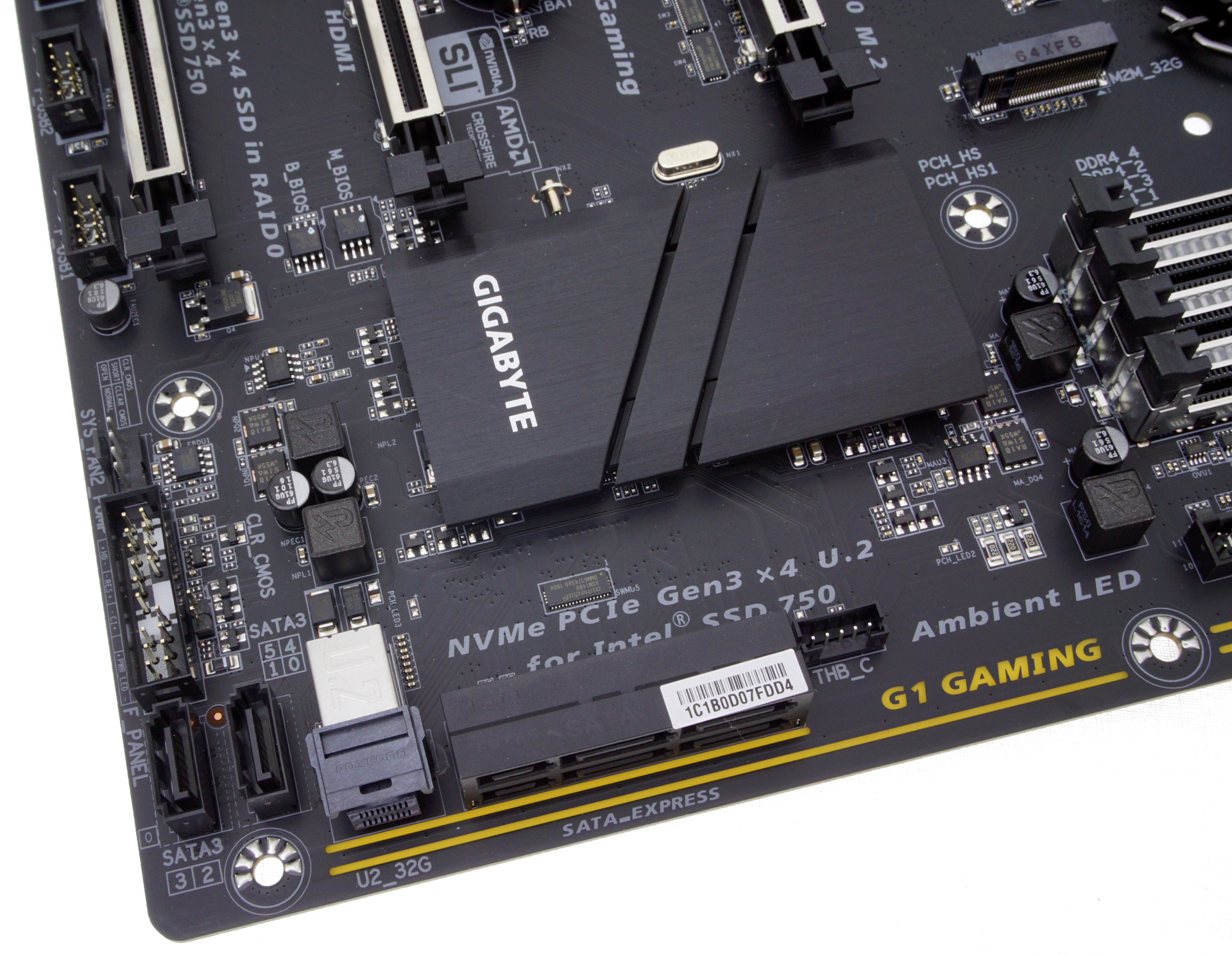
Nonetheless, offering Thunderbolt 3 and U.2 support on a $156 motherboard stands the product in reasonable stead for the market. The Ultra Gaming is consummate of that price, and investing in some features like TB3 while sacrificing other features is a prominent way of analyzing how motherboards with so much potential IO in a small budget will be in the market in the near future.
Similar to the Designare, the Ultra Gaming performs great in POST time, although the ALC892 does no favors in our audio tests. DPC is something that the manufacturer still needs to get right, however the component cost of the board means we get a very nice set of power results.
Other 100-Series and C232/C236 Motherboard Reviews:
Prices Correct at time of this review
$520: The GIGABYTE Z170X-Gaming G1 Review [link]
$500: The ASUS Maximus VIII Extreme Review [link]
$410: The GIGABYTE Server MW31-SP0 (C236) Review [link]
$310: The GIGABYTE X170-Extreme ECC (C236) Review [link]
$225: The ASUS Maximus VIII Impact Review [link]
$220: The GIGABYTE Z170X-Designare (this review)
$220: The ASRock Z170 Extreme7+ Review [link]
$205: The MSI Z170 Gaming M7 Review [link]
$172: The GIGABYTE Z170-UD5 TH Review [link]
$156: The GIGABYTE Z170X-Ultra Gaming (this review)
$155: The ASRock E3V5 Gaming (C232) Review [link]
$145: The ASUS Z170-A Review [link]
$130: The MSI Z170A SLI PLUS Review [link]
$101: The Supermicro C7H170-M Review [link]
Originally published at https://www.anandtech.com/show/10935/the-gigabyte-z170x-ultra-gaming-z170x-designare-motherboard-review (Wayback Machine).