
IBM ThinkPad X31 1.4GHz Pentium M: A Traveler's Best Friend
- Posted in
- Laptops
Construction - Under the Hood
The IBM X31 packs plenty of power into its small frame thanks, in large part, to Intel's Centrino technology. Our system came configured with a 1.4GHz Pentium M processor, the Intel 855PM chipset, 256MB DDR PC2100 memory, Bluetooth and WiFi connectivity, a 40.0GB 4200RPM hard drive, and Mobility Radeon graphics.
The 1.4GHz Pentium M processor that the IBM X31 uses is one of the slower full voltage Pentium M processors available. The Pentium M processor line currently runs from 1.6GHz to 1.3GHz and also includes a low volt model running at 1.1GHz and an ultra low volt model clocked at 900MHz. In our discussion IBM indicated that the higher speed Pentium M processors will be reserved for the T40 series notebooks for the time being due to thermal issues as well as an attempt to further distinguish the thin and light T40 from the ultraportable X31. We have not yet tested a Pentium M clocked at 1.4GHz but previous testing of the 1.5GHz and 1.6GHz solutions proved that the Centrino has plenty of speed to offer The X31 is also available with a 1.3GHz Pentium M processor which should add a bit of battery life to the system at the sacrifice of speed.
Unlike the CPUs found in the thin and light systems we looked at in our Centrino roundup, the Pentium M processor in the IBM X31 is not socketed. Instead the CPU is mounted directly on the system's motherboard. This is most likely in order to save space and frankly does not bother us in the least bit: it would be very difficult to upgrade the processor in the X31 even if it were socketed (due to the fact it is hard to get to and getting your hands on a single socketed Pentium M processor would be extremely difficult). Note that the CPU makes contact with the heatsink surface with the help of some thermal grease.

The CPU is cooled via a copper heatsink and fan. IBM has upgraded the cooling a bit over the older IBM X30 design to accommodate the warmer temperatures put out by the Pentium M processor (compared to the Pentium III-M). The heatsink surface connects to the CPU via a copper heat pipe. The fan that the unit employs is temperature controlled and remained quiet throughout the duration of the testing on the whole.


Mounted directly to the left of the CPU is the system's 855PM north bridge. It was not surprising to see the X31 utilize this north bridge solution considering that it is the only chipset currently available for the Pentium M processor. The surface of the north bridge has a small thermal pad on it to facilitate heat transfer from the core to the heatsink surface.
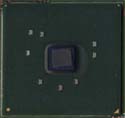
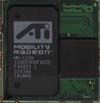
Directly to the left of the north bridge is the system's graphic chip, a Mobility Radeon with 16MB of video. When we asked IBM why the chose to go with a discrete graphics processor as opposed to the 855's integrated graphics processor (remember, space is at a large premium here) they said that the Mobility Radeon provided significantly better content creation performance. The Mobility Radeon is quite an aged graphics processor (the notebook equivalent of the Radeon VE/Radeon 7000) and is certainly not a contender among current 3D chips but should be just right for 2D applications.
The chip is of the memory on package type, meaning that the Mobility Radeon core is mounted on the same package as the 16MB of video memory that the chip uses. The memory module used on our X31 sample was a Samsung DDR SDRAM chip in a BGA package. The chip was rated at 220MHz max (440MHZ DDR).
The north bridge and the Mobility Radeon graphics chips are in a line for a reason: the are both passively cooled by a small metal plate. The IBM T40 model used no cooling over the north bridge but a heat spreader of some sort was likely necessary in the X31 given the tight space in which the chip is housed. Same goes for the Mobility Radeon: the chip does not require a cooling solution but is passively cooled to help make up for the tight quarters in which it lives.
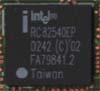
The system's ethernet controller is also located on the top side of the motherboard. Our X31 came outfitted with an Intel RC82540EP Gigabit ethernet controller. A nice touch for those who plan to use the X31 in a corporate environment.
The AC'97 audio codec is also found on the top of the motherboard. Here IBM turned to the Analog Devices AD1981B SoundMAX codec. This is a fairly standard audio chip and offers basic functionality.

Finally, the unit's single mini-PCI slot is located on the top of the motherboard. Our test unit shipped with a Philips PH11107 dual band wireless card, the only component in the system which does not qualify as a Centrino product (because Intel did not make the card). The dual band capabilities of this card mean that it is able to operate on both 802.11b as well as faster 802.11a (54 Mbps) networks. We would prefer to see this Philips card in Pentium M laptops due to the fact that the current generation Intel cards only support the 802.11b infrastructure. It is too bad that the system cannot be called a Centrino notebook without the Intel WiFi card.


As the picture below shows the motherboard on the IBM X31 is small. In fact, the motherboard is among the smallest we have seen in a notebook PC.

Originally published at https://www.anandtech.com/show/1092 (Wayback Machine).