
The Phononic HEX 2.0 TEC CPU Cooler Review
The Phononic HEX 2.0 Thermoelectric Cooler
If not for the 6-pin PCI Express power connector at its side, the HEX 2.0 could be easily mistaken for a simple medium-sized tower cooler. It is only 12.5 cm tall and should fit in many narrow cases, where several top-tier air coolers cannot. The HEX 2.0 is a dual-tower design, with four heatpipes transferring the thermal energy from the CPU to two arrays of aluminum fins, and with the fan placed between the two fin arrays. In this case, Phononic also placed the control electronics in between the arrays and covered everything with a neat plastic frame.

Phononic put a significant amount of effort in the aesthetic design of the Hex 2.0. Both the aluminum fins and the copper heatpipes of the cooler are chromed. The tips of the heatpipes extruding above the fin arrays are perfectly symmetrical. Phononic also placed a very strong RGB LED inside the company logo beneath the connectors, the color of which is selectable via the control software (green by default).

The frame can be partially removed, revealing the 92 mm cooling fan and providing access to the mounting screws. It will have to come off in order to install the cooler, but it is not necessary to completely remove the fan as well.Note that the fan can be replaced but needs to be inserted in a specific direction, as marked on the base of the cooler. Phononic is using a very high quality Sanyo Denki San Ace 9S0912P4F011 fan. Even though it is part of Sanyo’s “Silent” range, this fan has a maximum speed of 2650 RPM and will be quite loud should it operate at maximum speed.

The base of the cooler consists of a chromed copper plate that comes in contact with the CPU and a black aluminum frame that provides mechanical cohesion. Its chromed copper base is virtually a nearly perfect mirror. The TEC and the heatpipes are sandwiches between the copper plate and the aluminum frame. A temperature sensor can also be seen attached to one of the screws holding the base together.

The Software
The HEX 2.0 Dashboard software is very straightforward and lightweight. Not even an installation is required, the software is a simple executable file that can be launched instantly once downloaded.
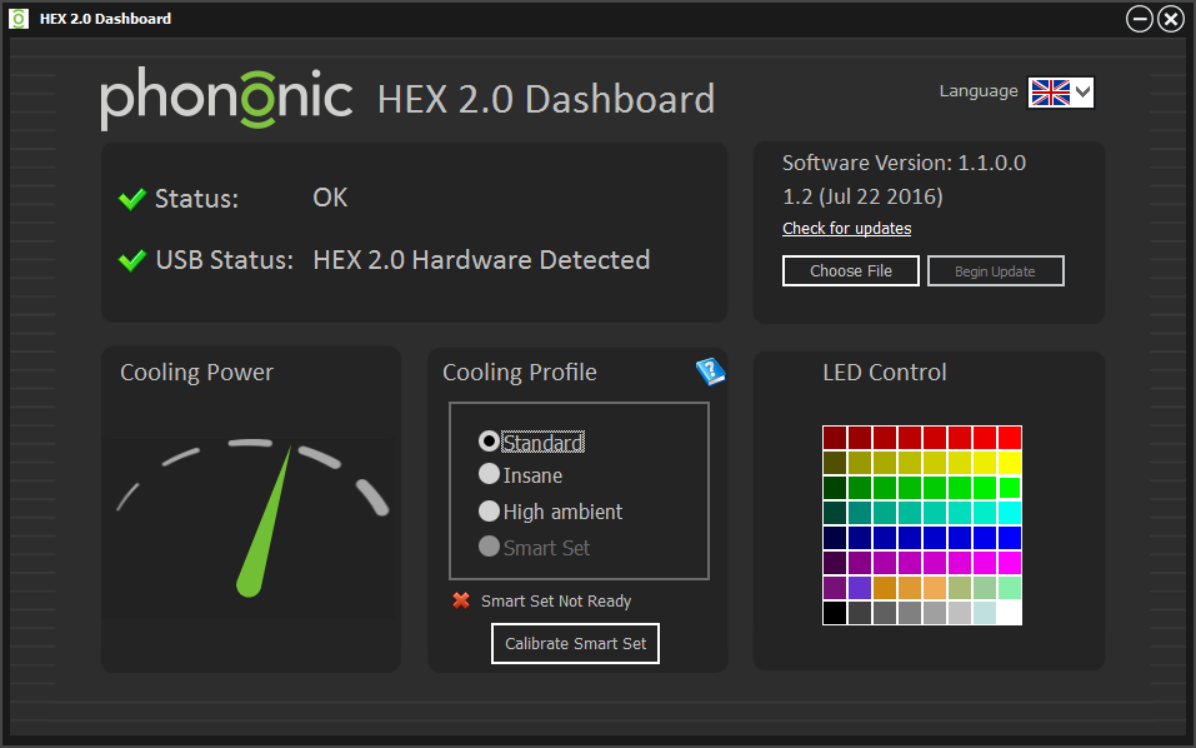
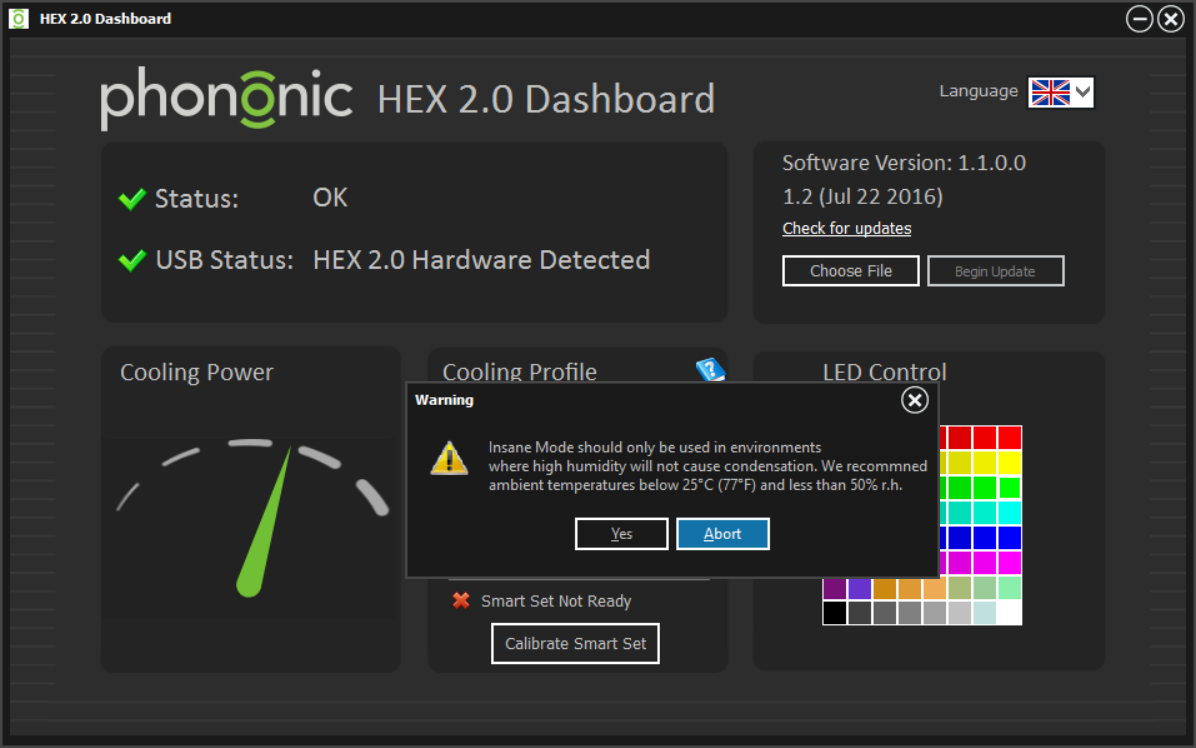
To the left of the screen, the user can check the “cooling power”, which indicates the power of the TEC. There are three cooling profiles to choose from: standard, insane and high ambient. The standard mode addresses most users, where the firmware of the cooler will be adjusting the power of the TEC according to the thermal load. Setting the cooler to insane mode will lock the TEC at maximum power and, as the warning message says, it can cause condensation under certain conditions. High ambient mode sets the TEC to activate at higher thermal loads only to prevent condensation in very humid environments.
Originally published at https://www.anandtech.com/show/10695/the-phononic-hex-2-0-tec-cpu-cooler-review (Wayback Machine).