
The BitFenix Pandora ATX Case Review
- Posted in
- Cases/Cooling/PSUs
- bitfenix
- ATX
- Case
The Exterior of the BitFenix Pandora ATX
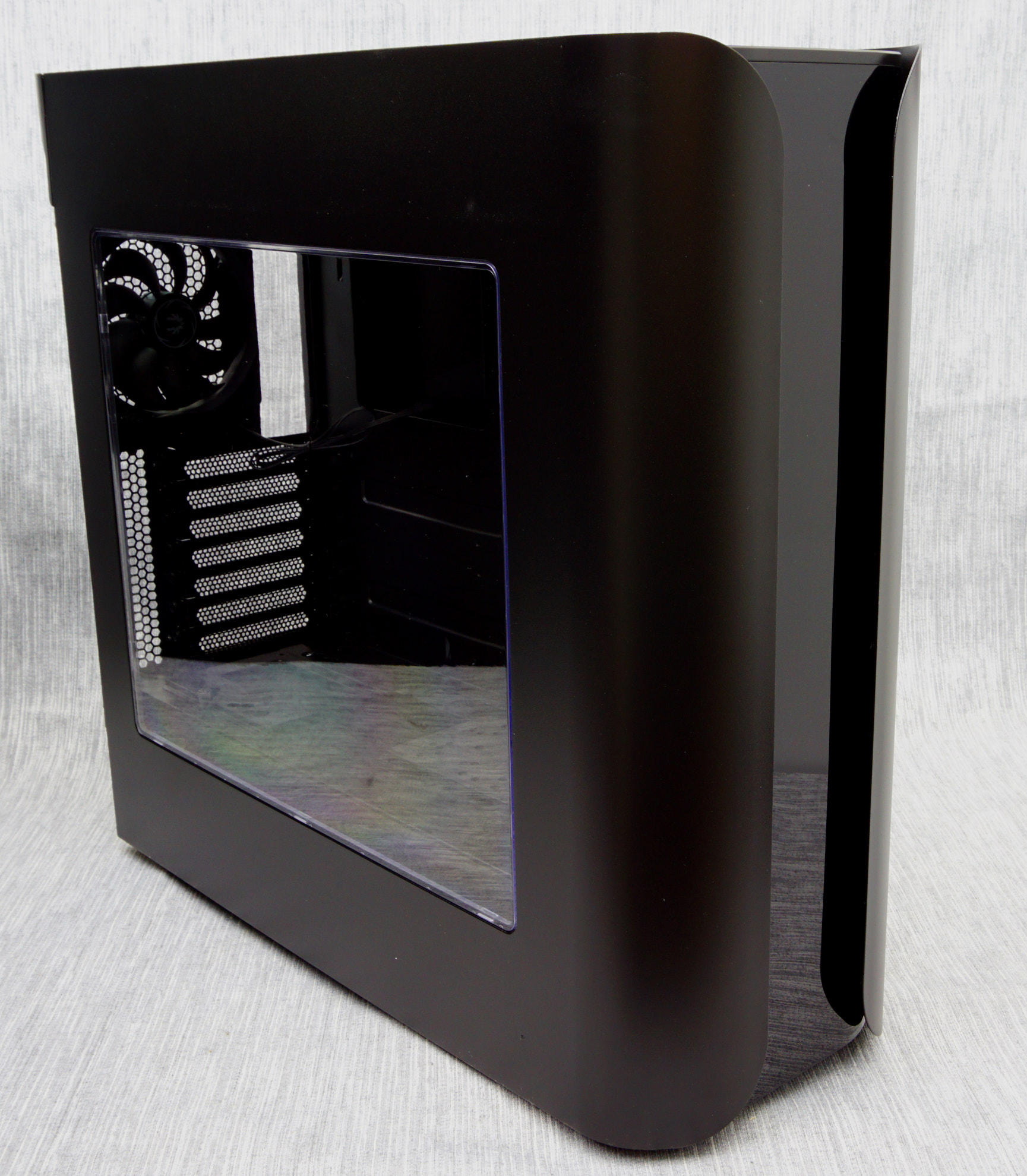
The BitFenix Pandora ATX sports the same modern design that made the original Pandora famous, with smooth surfaces and side panels that extend to the front of the case as flaps. The design concept is not new as there were a few cases similar to the Pandora in the past (e.g. ThermalTake Armor), but the Pandora was the first where the flaps were a continuous part of the side panels, combined with having no external drive bays at all. The newer version that we are reviewing today is considerably larger than the original, measuring 51 cm tall, 20.3 cm wide and 55.8 cm deep (20 × 8 × 22 in), resulting to a volume of 57.8 liters, making it 40% larger than the mATX-compliant Pandora. It is also a slightly heavy case, tipping our scales at 9.72 kg when completely empty.
 11.2 oz can inserted as a size reference
BitFenix has designed only a single black version of the Pandora ATX at this point, with a windowed side panel. A smooth, satin black paint covers the entirety of the case with the sole exception being the glossy plastic front panel. The paint is relatively resistant to fingermarks but the glossy front panel is a true fingerprint magnet and can get dirty very easily. As there is nothing the user can physically interface with on the front panel, it should not be an issue, unless if there are young children or pets roaming about the area of the PC.

The front I/O ports and buttons can be found at the top side of the front panel. A large power on button can be seen on the far left side of the symmetrical array, followed by two USB 3.0 ports, 3.5mm audio jacks at the center, two USB 2.0 ports to the right and a large reset button to the far right. There is no door or cover for the USB/audio ports.

A look at the rear of the BitFenix Pandora ATX reveals that the PSU compartment is at the bottom of the case and the presence of a stock 120 mm exhaust fan. There are also two round holes with rubber grommets for liquid cooling hoses. The metallic brace that BitFenix supplies with the bundle goes in front of the PSU, exactly as the brace that can be seen pre-installed at the top of the case’s rear side.

The BitFenix Pandora ATX sits on four simple, round plastic legs with rubber anti-slip pads installed on them. With the exception of the nylon filter covering the PSU intake, there is nothing else of interest at the bottom of the case. The front air intake filter can also be removed by pulling it downwards from the gap between the chassis and the faceplate, something easy to be done with the case on a desk or table but requires the case to be lifted up or rolled to its side if it sits on the floor.

One unique feature of the Pandora ATX is the simple LCD screen on the front panel. By default, it is showing the company logo but the users can insert any photo/logo they wish, as long as it fits certain proportions and file formats. The software used to do this is very simple, perhaps even too simple for such a product. It has no interface at all, the user is simply required to drag and drop the picture file on the program’s icon. A little more sophisticated software with a basic user interface and minor editing options would certainly be much more effective.

Originally published at https://www.anandtech.com/show/10551/the-bitfenix-pandora-atx-case-review (Wayback Machine).