
ASRock DeskMini 110 mini-STX PC Review
Power Consumption and Thermal Performance
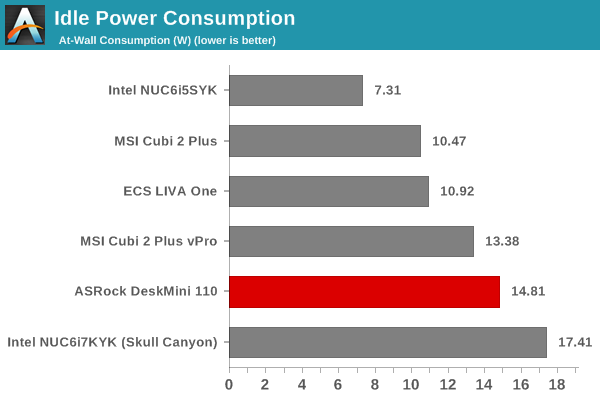
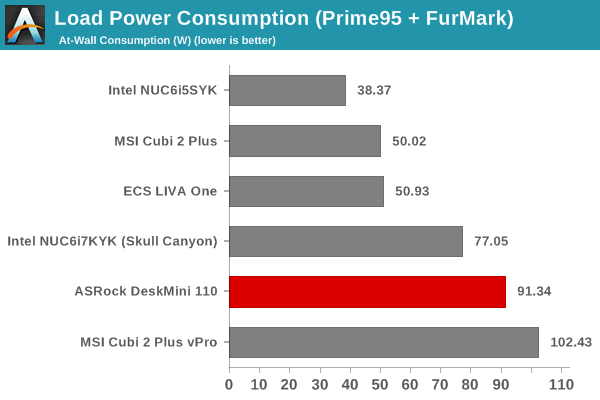
The power consumption at the wall was measured with a 1080p display being driven through the HDMI port. In the graphs below, we compare the idle and load power of the ASRock DeskMini 110 with other low power PCs evaluated before. For load power consumption, we ran Furmark 1.12.0 and Prime95 v27.9 together. The numbers are what one might expect for the combination of hardware components in the machine.
Our thermal stress routine starts with the system at idle, followed by 30 minutes of pure CPU loading. This is followed by another 30 minutes of both CPU and GPU being loaded simultaneously. After this, the CPU load gets removed, allowing the GPU to be loaded alone for another 30 minutes. The various clocks in the system as well as the temperatures within the unit are presented below.


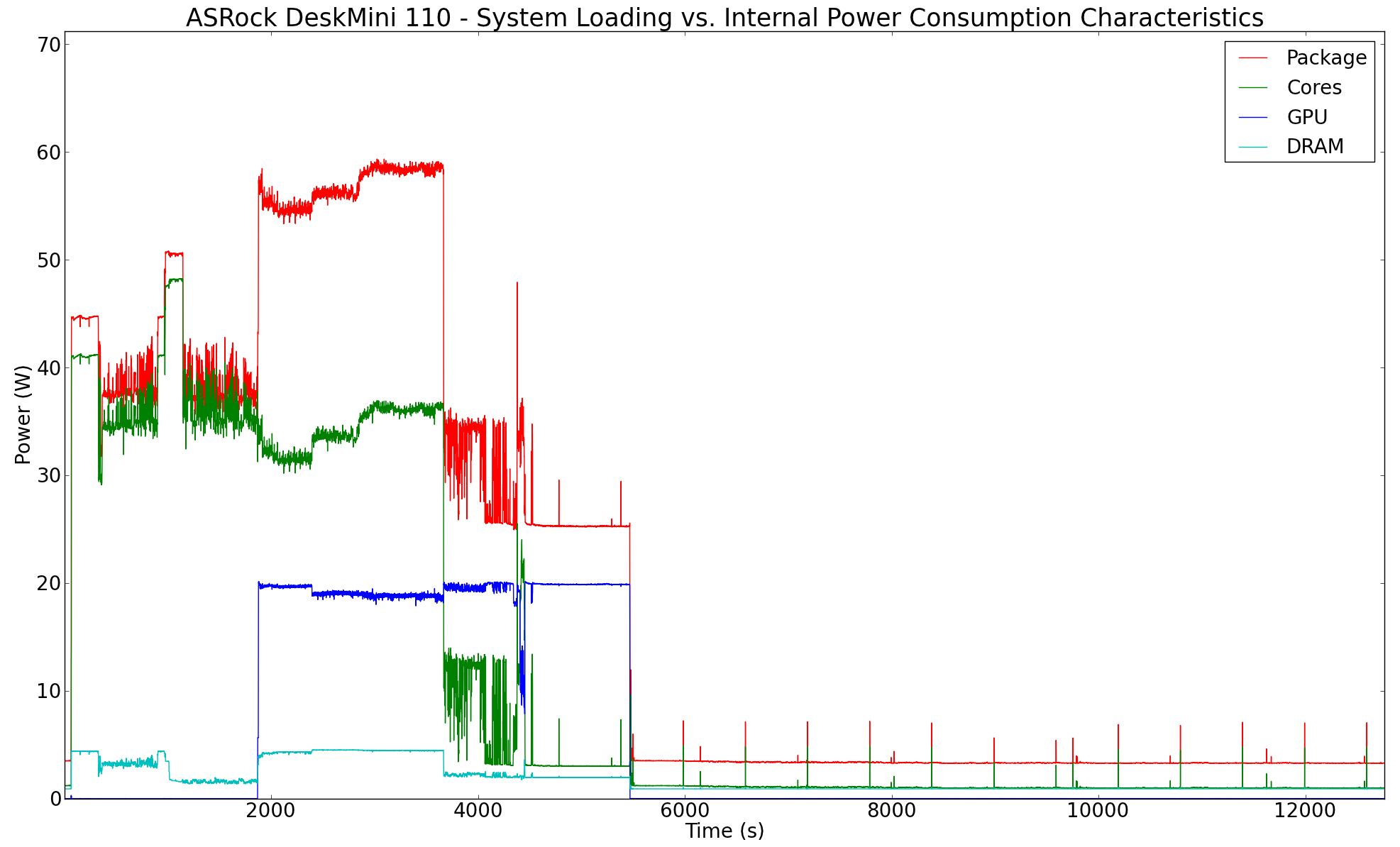
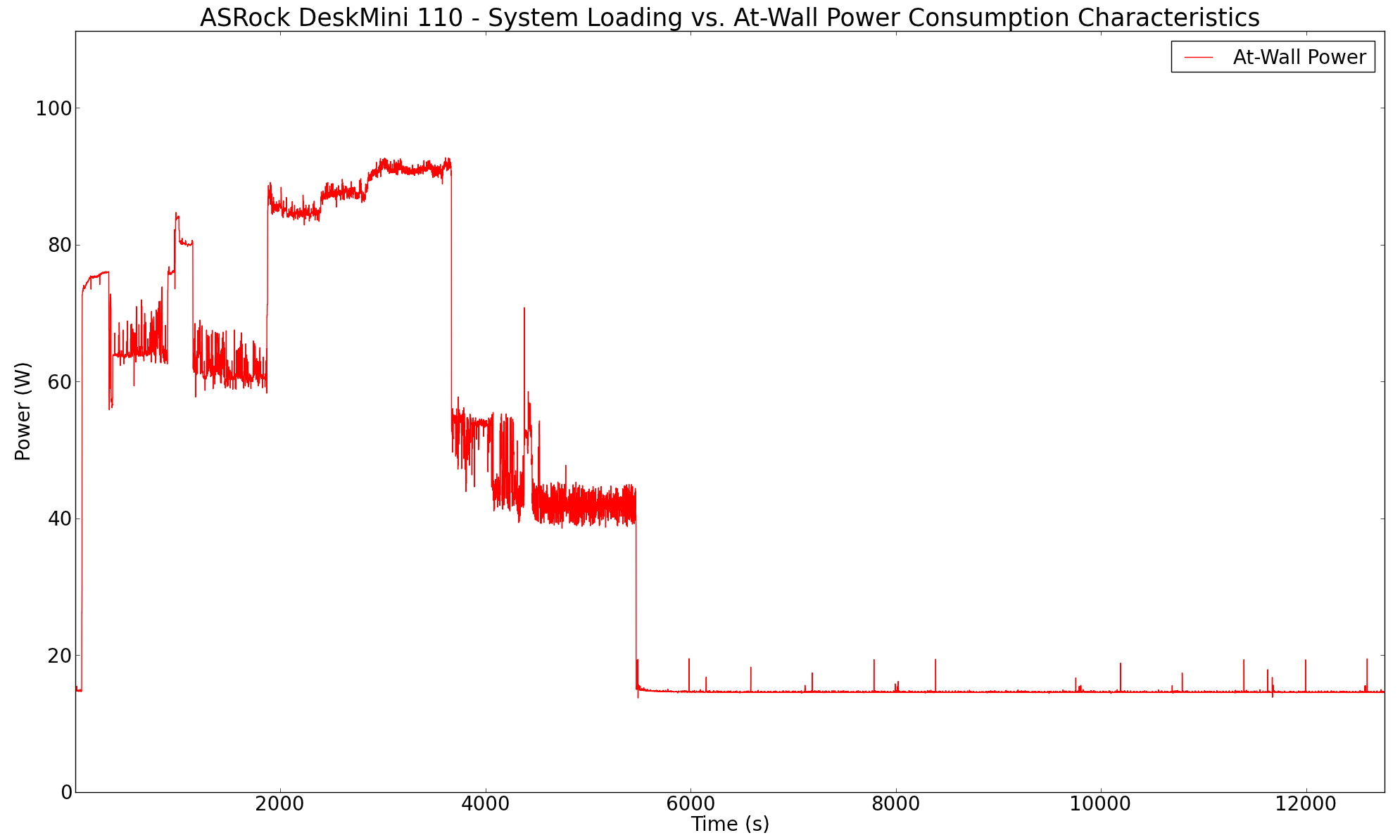
According to the official specifications, the Tcase of the Core i5-6500 is 71C, and the BIOS performance curves are set to ensure that the processor doesn't go beyond that even under stress. Therefore, we see very strange package power / at-wall power consumption in the pure CPU loading case. However, things do stabilize at a higher power number when both the CPU and the GPU are loaded together.
Another important aspect to keep note of while evaluating small form-factor PCs is the chassis temperature. Using the Android version of the FLIR One thermal imager, we observed the chassis temperature after the CPU package temperature reached the steady state value in the above graph.
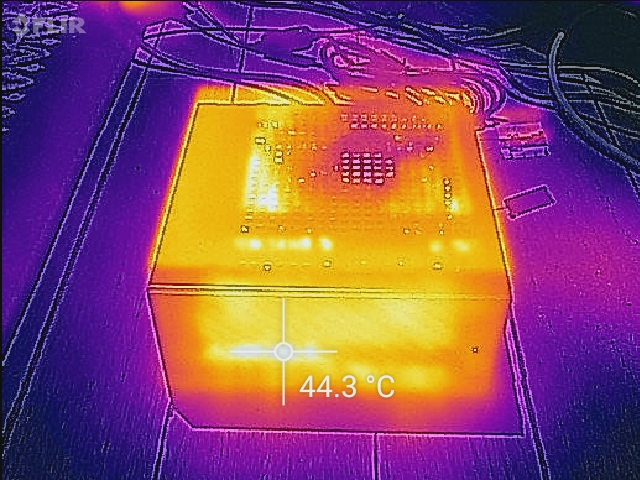
We have additional thermal images in the gallery below. The chassis temperatures are not a big concern even under extreme loading conditions.


Originally published at https://www.anandtech.com/show/10404/asrock-deskmini-110-ministx-pc-review (Wayback Machine).