
Choosing the Right SSD for a Skylake-U System
Miscellaneous Aspects and Concluding Remarks
Intel's Skylake platform attempts to scale a wide variety of computing form factors, and its members span a wide TDP range - from 4.5W up to 91W. The low power Y- and U- series CPUs come with plenty of knobs in order to enable Intel's customers to create the right characteristics for a product to achieve the desired performance level. In designing the Intel NUC, one of these parameters (namely, the speed at which the on-die platform controller hub and the CPU communicate) was left at the default low-power setting. This prevented PCIe 3.0 x4 SSDs from achieving optimal performance. Fortunately, Intel has a BIOS fix in the pipeline that enables the get NUC6i5SYK to full performance with the latest generation of high-performance PCIe 3.0 x4 NVMe SSDs.
Intel provided us with advanced access to the development BIOS, and we were able to verify that the fix works as intended. We also took this opportunity to evaluate different M.2 SSDs in order to determine the right fit for a particular build. The results were as expected, but presented a wealth of data for the average PC builder to consider.
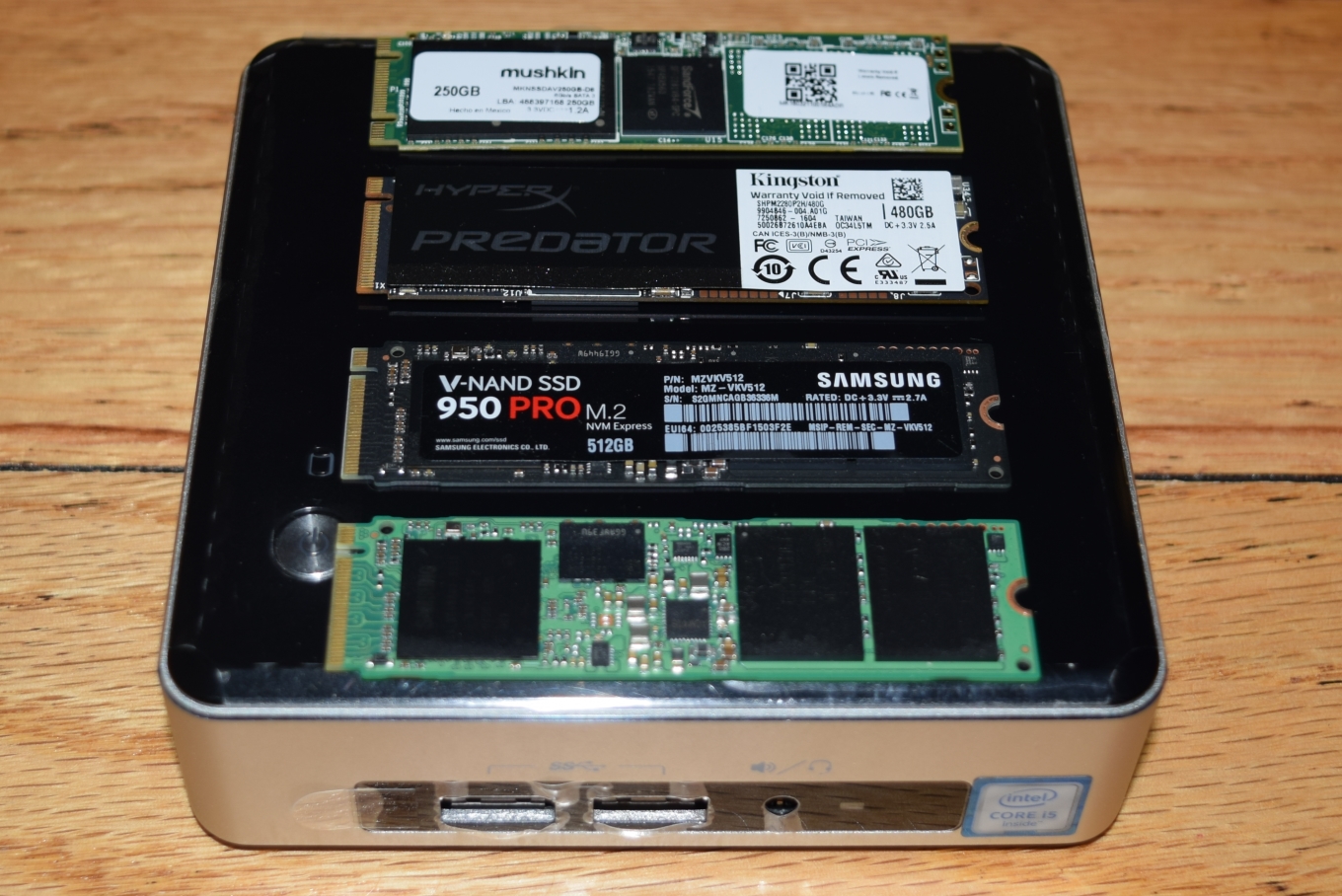
PCs that are going to be used for business / office activities or basic personal computing tasks have very little to gain by going in for the higher-priced PCIe cards. A SATA SSD is more than good enough for these purposes, as shown by the SYSmark 2014 scores. For other scenarios, such as those involving heavy multimedia editing and frequent transfers of large-sized files, the PCIe SSDs can definitely provide tangible benefits. Keeping that in mind, let us take a look at the conditions under which one might choose the different SSDs evaluated in this article.
Mushkin Atlas Vital 250GB
This is the budget choice, coming in at just $90 for 250GB of storage. The SandForce controller has been around for a long time now, and it can be considered to be stable and proven in the field. Mushkin also promises MLC flash in the SSD. For a majority of the use-cases for Skylake-U systems, this SATA 6Gbps M.2 SSD balances price and performance perfectly.
Kingston HyperX Predator 480GB
In terms of price per GB, it is quite close to the Samsung SSDs discussed below. In terms of performance and features (PCIe 2.0 / AHCI), it does come second to them too. The power consumption is also a bit on the higher side, making it unsuitable for users looking to upgrade their notebooks. The SSD also makes extensive use of the 1GB DRAM cache, due to which we recommend ensuring uninterrupted power supply to the system in which it is used.
However, the Kingston SSD impresses us with one major feature - the endurance claims coupled with the warranty. Kingston has a 3-year warranty, but, it also says that the 480GB version can withstand 1.7 drive writes per day (DWPD). This works out to more than 891TB of writes, compared to the 75 - 400TB of the Samsung drives discussed in this article.
We have no hesitation in recommending the $300 HyperX Predator M.2 480GB SSD for Skylake-U desktops with heavy write workloads (common in multimedia editing and other similar scenarios). It strikes the best balance of endurance and performance for such use-cases.
Samsung SM951 256GB
Most consumers should opt for the more recent SSD 950 PRO, unless the SM951 is available for a much lower price per GB. Both of them have similar performance in Skylake-U systems with the higher OPI link rates, as they both use the same controller and interface / protocol (PCIe 3.0 x4 / NVMe). However, the warranty aspect is a bit worrisome, since the SM951 is an OEM model. The pricing from third-party sellers is also a bit on the higher side, with the 256GB model that we evaluated coming in at $200. In addition, it uses lower endurance flash memory compared to the 950 PRO. All in all, given a choice between the SM951 and the 950 PRO, it would make sense to go with the latter.
Samsung SSD 950 PRO 512GB
We saved the best for the last. This is undoubtedly the top performer, has the best warranty (five years), and uses the latest MLC V-NAND flash technology (promising higher endurance compared to the planar NAND used in the SM951). The power profile is also excellent (better than both the SM951 and the Kingston HyperX Predator). To top it all, the price per GB is very competitive, with the 512GB version coming in at $318. Pretty much the only downside is the lower endurance rating (400TBW) compared to the Kingston HyperX Predator.
Coming to the business end of the review, it is heartening to see Intel respond in a quick and positive manner to user complaints regarding the performance of PCIe 3.0 x4 SSDs in the Skylake NUC. The available tweak will also enable Skylake-U system manufacturers such as GIGABYTE (with its latest BRIX lineup) and Zotac (which has regularly put out mini-PCs based on the U-series CPUs) to optimize system performance. We also managed to check out four different SSDs for usage in Skylake-U systems in general (and the NUC6i5SYK in particular). All the four SSDs considered in the article are good choices for Skylake-U systems, though the ideal fit would depend on the budget as well as the intended use-case.
Originally published at https://www.anandtech.com/show/10303/choosing-the-right-ssd-for-a-skylakeu-system (Wayback Machine).