
The Riotoro Prism CR1280 Case Review
The Interior of the Riotoro Prism CR1280
The interior of the Prism is entirely black, including all screws and standoffs, with the exception of the semi-clear front intake fans. It is essentially split into two parts, one for the main system that is accessible from the left side panel and one for the PSU compartment/drives area that is accessible from the right side panel. The main system area is very roomy, as expected from a case of such proportions without external drive cages at all. There are many openings for the cables above and to the side of the motherboard, all with rubber grommets installed. There is also an opening leading directly to the PSU compartment. A hole is cut on the motherboard's tray to allow for the installation of aftermarket coolers without having to remove the motherboard, but we found the opening to be strangely small and is likely to cause compatibility problems with several of the newer motherboards, forcing the removal of the motherboard if the cooler has to be installed/removed.

The system area of the Prism CR1280 is littered with fan mounting slots. Riotoro installed two 120 mm RGB fans as a front intake, but 140 mm fans or up to a 240/280 mm radiator can fit there. Similarly, a simple black 120 mm fan is installed to the rear of the case, but a 140 mm fan can also fit. The rear mounting slot allows for the adjustment of the fan’s height by about one inch. Three more 140 mm or 120 mm fans or up to a 360 mm radiator can be installed at the top of the case. Finally, there is also the option of installing internal fans on the floor of the main system, one above the PSU and one above the 3.5” drives cage, providing additional cooling to these components.


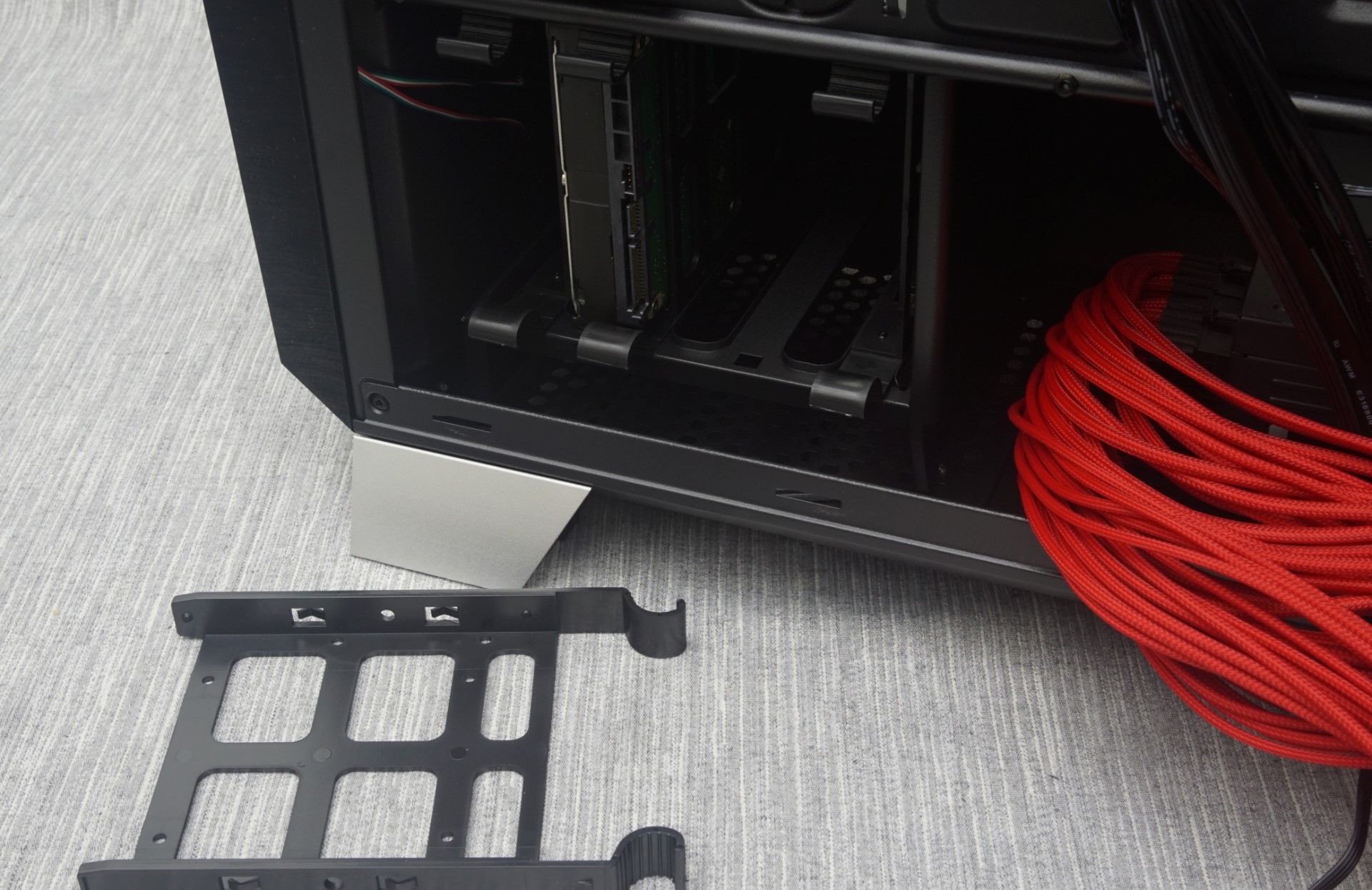
Moving on to the right side of the case, we can see four 2.5” drive mounting frames along the side of the motherboard’s tray. Unlike most similar setups, the drives are not simply inserted to these plastic frames, but the frames have to be removed, installed on a drive and then reinserted along with the drive. This takes a few extra moments but it is far more secure, as the drive cannot be removed from the frame if the frame itself is not removed.

Another four 3.5” or 2.5” drives can be installed in the cage in front of the PSU compartment, using plastic trays. These plastic trays lock on 3.5” drives without the need of screws, but one screw can be added for extra security. 2.5” drives can only be installed on the trays by using screws.
The Speed/RGB controller can also be seen at the back of the motherboard’s tray, protected by a simple magnetic cover. The speed controller can power and control up to four fans, two of which are the two intake RGB fans of the case. If the user wants to, the two RGB fans can be replaced with other fans, but the case would lose the largest portion of its lighting capabilities.

For the means of this review, we installed a Corsair AX760i with the red cable set, for strong visual contrast. The PSU compartment is roomy and can easily house a PSU up to 200 mm long, so it fits inside the Prism CR1280 without issues. Do note that the distance between the PSU compartment and the motherboard is large and, as a result, the CPU power cable of the AX760i is barely long enough. High end PSU models with long cables are highly recommended, or an extension will be necessary for the CPU 12V EPS cable.

A standard ATX system fits inside the system area of the Prism CR1280 very comfortably. Massive cards up to 400 mm long can fit, even with the front intake fans installed. There is a lot of clearance above the motherboard, allowing for the installation of 25 mm thick radiators along with their fans. 38 mm thick radiators can still cause compatibility problems though, as the top panel openings are not offset to the left side of the case.

We would like to point out that the system area of the Prism CR1280 is clearly designed with ATX motherboards in mind, rather than EATX or larger. An EATX motherboard can be installed but it will partially block the cable openings next to it. There are no other cable openings other than those across the edge of the motherboard, so it could make the management of the cables a little troubling. This is also true for very long graphics cards, as they will run across the cable openings and the cables will have to the installed before the cards.
Originally published at https://www.anandtech.com/show/10277/the-riotoro-prism-cr1280-case-review (Wayback Machine).